Downstream
For athletes For coaches For creators
For creators

Put your erg on the stream

A clean broadcast overlay of your live rowing numbers — splits, rate, heart rate, completed intervals — sized for a 1080p canvas and dropped into OBS once. Your pace, live, over your video.

Broadcast overlay
Pro

The overlay

One translucent board over your video — readable on any background, nothing to fuss with mid-piece.
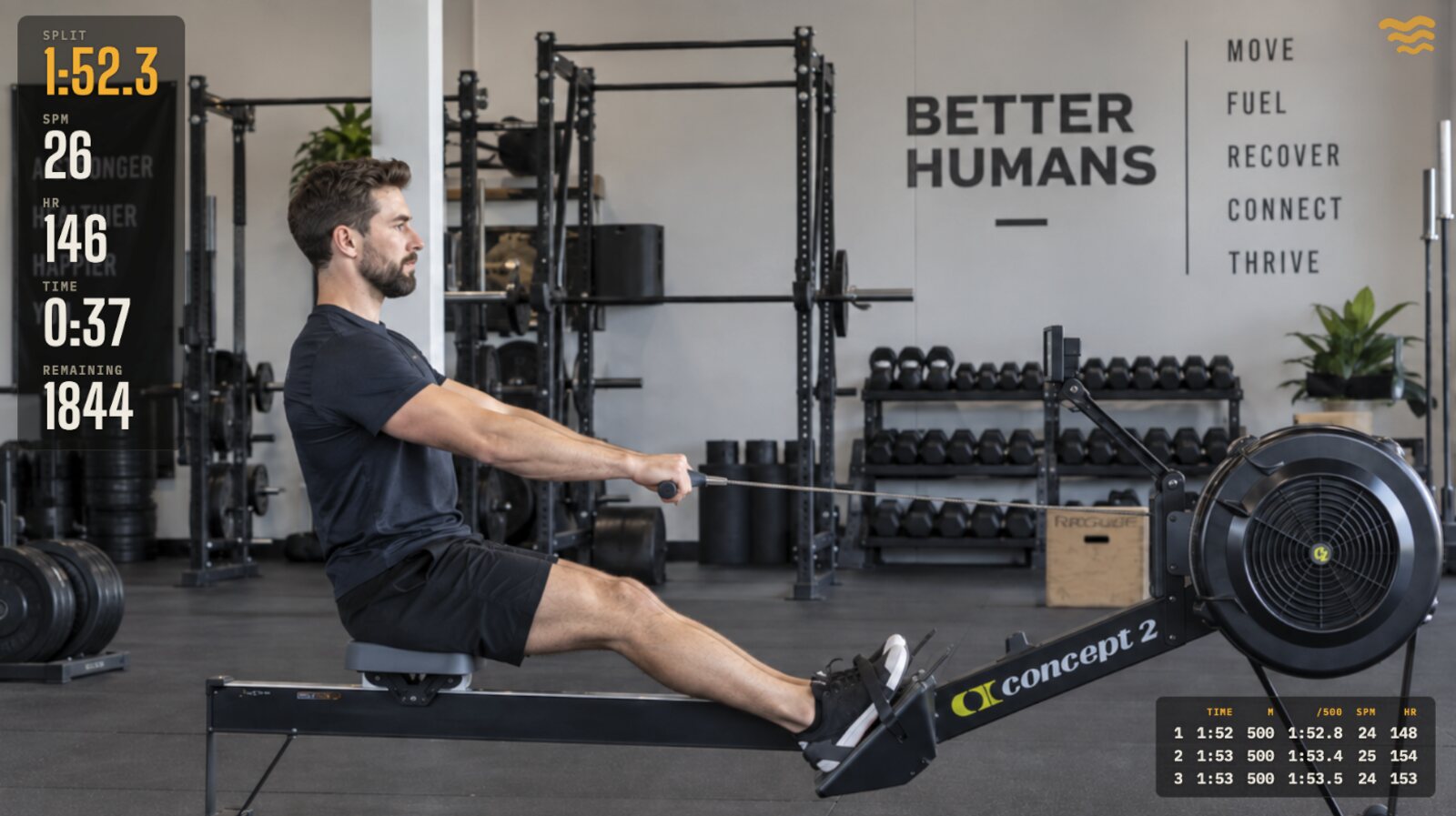
Downstream's stream overlay over a live erg piece
Built for 1080p
Every preset assumes a full 1920×1080 canvas, so it lands pixel-right in OBS the first time.
One clean board
All your metrics share a single translucent card for contrast over video — big figures, legible at a glance.
Connection lamp
The brand mark doubles as a live indicator — viewers (and you) can see the feed is healthy.
Your call on the mark
Keep the brand mark or turn it off per stream; the overlay is yours to frame.
Live numbers
Pro

Live, to the tenth

The same numbers you're watching on the monitor, the way the PM5 shows them.

Live interval table
Completed splits build on screen as you finish them — distance, time, pace, rate, heart rate.
Running interval average
INT AVG shows your split for the interval in progress, updating stroke by stroke.
Tenths that match the monitor
Pace tenths truncate exactly like the PM5 — never rounded, never a phantom 1:60.
Hold until Done
When you stop, the final numbers stay up until the piece is done — no blank overlay on the line.
After the piece
Pro

The recap card

Replay a finished piece on stream — a clean summary card you pick on the web and show in seconds.

Pick on the web, live on stream
Choose any recent piece from your log; the recap overlay updates on its own, no OBS fiddling.
The splits that matter
Name, totals, and a split table — show every column or just the ones you want.
Verified, where earned
A finished piece that came through verified wears the gold verified chip on its card.
Set it up once
Add to OBS once, forget it

You get a stable overlay link — drop it into an OBS browser source a single time. Frame it against a demo feed with the test link before you ever go live, flip the toggle on your Stream page, and your first stroke takes it live. It just works for every stream after that.

Stream your next piece
© Row Downstream LLC